Product glossary · Haze
What is ESP in Rust?
In Rust cheat listings, ESP usually describes extra visual information about players or objects in the game. A product might display player labels, distances, loot markers or other documented details. The term alone does not tell you which objects a particular product supports.
This guide explains the terms used in the Haze Rust External feature list. Published 16 November 2026 by Haze.
Player ESP: labels, boxes and skeletons
Player ESP groups the visual details attached to player characters. Haze's published list includes boxes, skeletons, names, distances, held items and team IDs. It also names simulated healthbars; that wording matters when comparing the description with a display.
These details belong to the player-visual category. Aim controls, weapon controls and movement features have their own categories and should be checked separately.
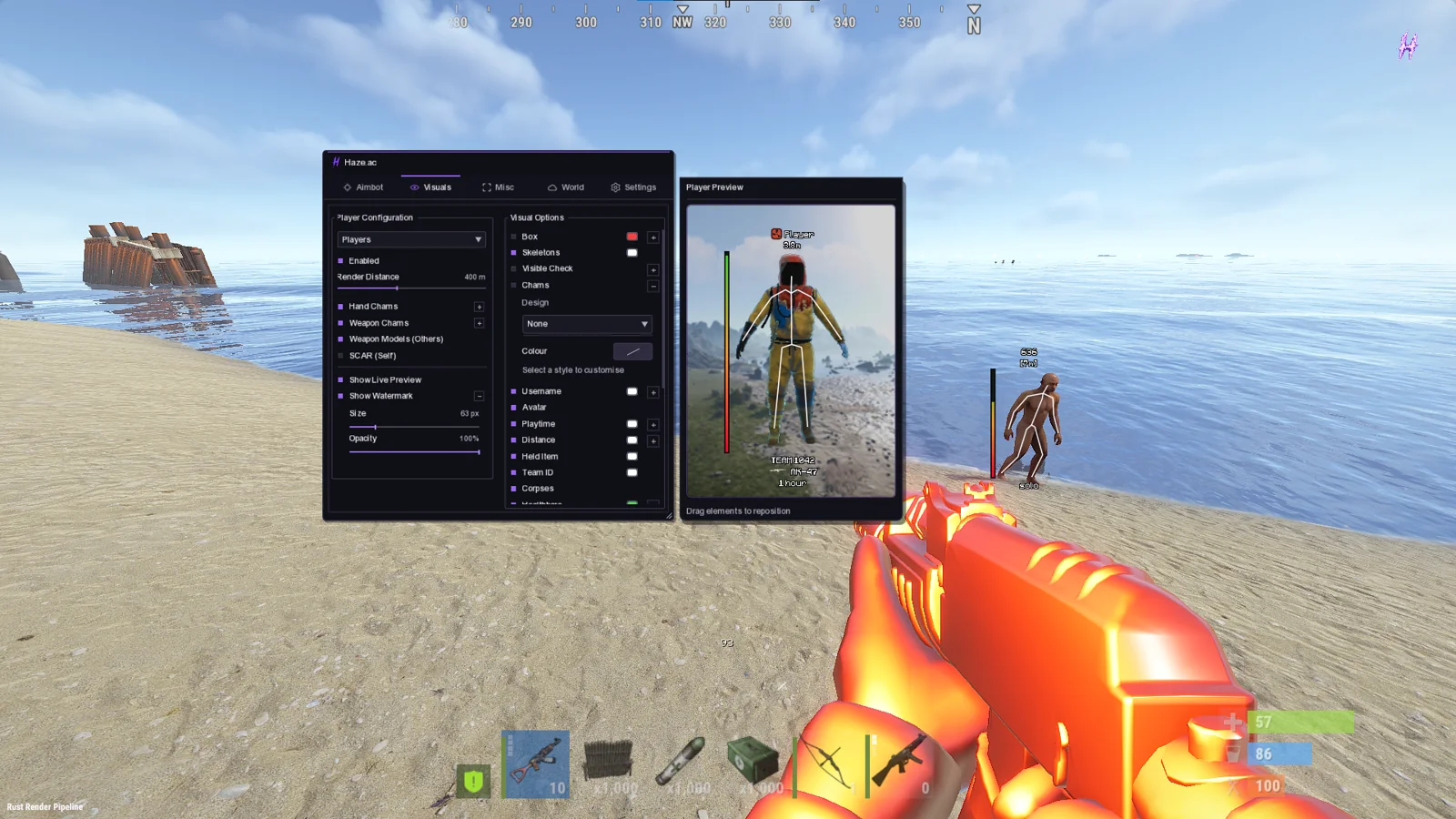
Loot, resource and world ESP
“Loot ESP” can mean different things across product listings. Haze's catalogue separates world objects, resources and base-related objects so you can check the exact coverage.
- World: named crate types, supply drops, barrels and dropped items.
- Resources: named ores and pickups, with distance controls listed in that category.
- Raids and bases: tool cupboards with upkeep, workbenches, turrets and named traps.
Read the full feature list when a specific object matters to you. A general “ESP” label is not a complete specification.
ESP, radar, aimbot and chams compared
| Term | What it describes | Where to inspect Haze's implementation |
|---|---|---|
| ESP | Additional visual information about listed players or objects. | Players, World, Resources and Raids & Bases categories. |
| Radar | A separate way to display positional information. | The radar entry and visuals screenshots. |
| Aimbot / silent aim | Aim-related behavior and targeting controls, rather than information labels. | The Aim category and aim screenshots. |
| Chams | Material or model presentation changes listed for supported subjects. | Player, hand and weapon visual options. |
These terms are not interchangeable. Haze lists them within Rust External; this guide does not advertise a separate radar or ESP-only product.
How to compare an ESP product before buying
- List the player or object details you need, then match them to the documented features.
- Inspect actual menu screenshots instead of relying only on a broad feature label.
- Check PC requirements and current product status.
- Compare access durations and the final checkout amount.
- Keep the official setup and support links with your order reference.
A displayed status is a current report, not a guarantee about future detection or account outcomes. Read the Rust External buying checklist for compatibility, activation and support details.